Todos los prompts
App
Simulador de vuelo 3D con un prompt
Despegue, cabina, instrumentos y nubes: un simulador de vuelo jugable en el navegador, creado con un solo prompt.
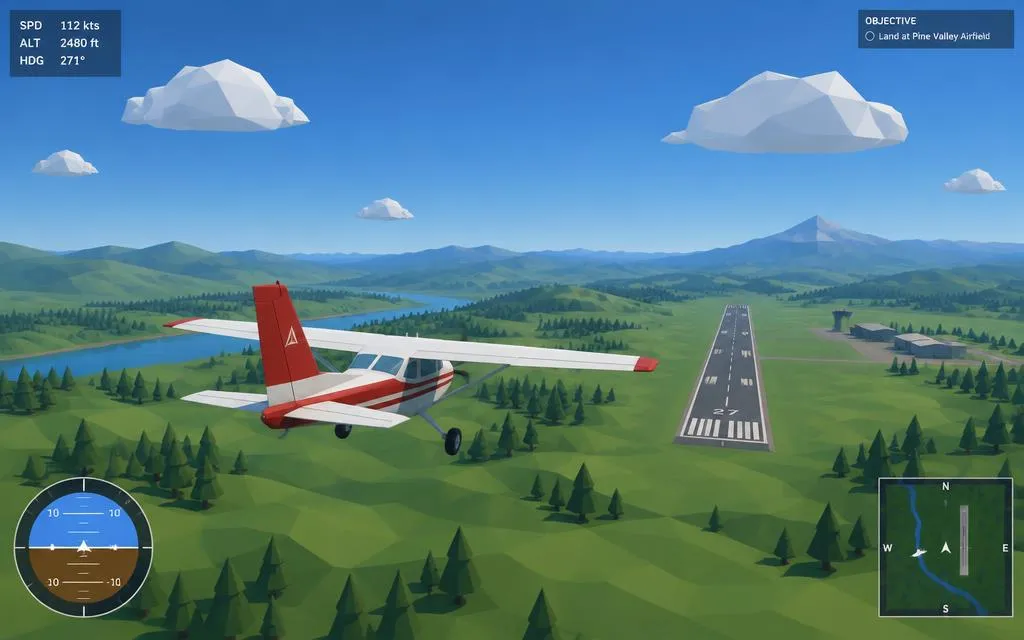
Cómo se usa
- Abre Codex (mínimo Plan Plus).
- Pega el prompt tal cual: está en inglés porque funciona mejor así.
- Abre el index.html que te genera y a volar.
Ejecuta este prompt en Codex con el modelo Astra 6 en modo light o medium.
Controles: W/S cabeceo · A/D alabeo · Q/E guiñada · Shift/Ctrl potencia · C cambia de cámara.
Prompt
ROLE
You are an expert game developer building a browser-based flight simulator demo in a single pass, with no clarifying questions and no back-and-forth. Make every reasonable assumption yourself and implement the full result immediately.

TASK
Build a playable, arcade-style 3D flight simulator that runs entirely in a web browser, using Three.js loaded from a CDN. No external 3D models, textures, or audio files — everything must be built procedurally with primitive geometries, materials, colors, and lighting.

DELIVERABLE
A single self-contained index.html file (inline <style> and <script>, Three.js imported via CDN) that runs by simply opening the file in a browser — no build step, no server, no npm install required.

SCENE

- A large flat or gently rolling terrain (procedural, low-poly is fine) with a simple runway (a long grey/white-striped rectangle) as the starting point.
- A sky with a gradient or basic skybox, plus a few simple low-poly cloud shapes scattered around.
- Basic directional + ambient lighting so shapes read clearly in 3D.

AIRCRAFT

- A simple low-poly airplane built from primitives (box fuselage, wings, tail, cockpit) — doesn't need to be detailed, just recognizable as a plane.
- Starts stationary on the runway.

FLIGHT PHYSICS (simplified, not full aerodynamics)

- Throttle control (increase/decrease) that affects forward speed.
- Pitch (nose up/down), roll (bank left/right), and yaw (turn left/right) controlled via keyboard.
- Basic lift: the plane only takes off once speed passes a threshold; below that it stays grounded.
- Gravity pulls the plane down when speed/lift is insufficient (basic stall behavior is a nice-to-have, not mandatory).
- Smooth, frame-rate-independent movement (use delta time).

CONTROLS

- W/S: pitch down/up
- A/D: roll left/right
- Q/E: yaw left/right
- Shift/Ctrl (or Up/Down arrows): increase/decrease throttle
- C: toggle between third-person chase camera and cockpit/first-person view
- Show an on-screen control legend in a corner, always visible.

CAMERA

- Default: smooth third-person chase camera that follows and banks slightly with the plane.
- Alternate: simple cockpit-style view looking forward from the nose.

HUD (overlaid on the canvas, not part of the 3D scene)

- Airspeed
- Altitude
- Heading (compass degrees)
- Throttle percentage
Keep the HUD minimal, readable, and non-intrusive (corner placement, semi-transparent background).

QUALITY BAR

- No console errors.
- Stable 60fps on a mid-range laptop with the described scene complexity.
- Canvas resizes correctly with the browser window.
- Code should be clean and organized into clear sections/functions (scene setup, aircraft, controls, physics update loop, HUD), but do not over-engineer or add features beyond this spec.

OUT OF SCOPE — do not implement

- Multiplayer, save/load, weather systems, multiple aircraft, missions/objectives, sound.
- Do not ask me questions mid-task — if something is unspecified, pick the simplest reasonable option and move on.

Deliver the complete, working index.html in one response.