Todos los prompts
Vídeo
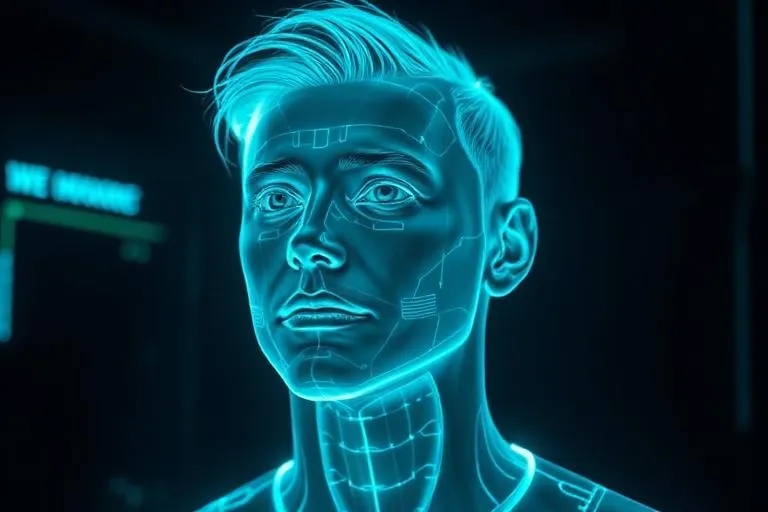
Crea tu holograma en un vídeo
Una foto tuya y un prompt: el resultado es un holograma animado listo para compartir.
Cómo se usa
- Abre Seedance 2.0 en Freepik (o tu generador de vídeo).
- Sube una foto tuya.
- Pega el prompt y genera el vídeo.
Copia y pega este prompt usando el modelo de Seedance 2.0 en Freepik o cualquier otro generador de vídeo.
Recuerda subir una foto tuya antes de pegar el prompt. Algunas plataformas cobran según los créditos consumidos.
Prompt
Use the uploaded photo as the main identity reference. Keep the person clearly recognizable throughout the entire video, preserving the same face, hairstyle, body proportions, clothing, and overall appearance visible in the original image. Do not change or reinterpret the initial composition unnecessarily. Respect the original framing, pose, expression, outfit, background context, and visual identity from the uploaded image as the natural starting point. Then, introduce a subtle futuristic transformation effect in the space beside the person. Blue-white holographic energy, light particles, elegant digital scan lines, and soft sci-fi distortion begin to appear next to them. From that energy, a holographic clone of the same person materializes beside the real one. The clone should look like an advanced AI assistant version of the same person: semi-transparent, glowing, futuristic, clean, and visually impressive. The real person must remain solid and realistic, while the clone is clearly holographic. Both should appear side by side in a clean and visually balanced way, without awkward overlap. Add smooth cinematic motion, realistic lighting, soft reflections, a premium sci-fi atmosphere, and a polished high-end look. The final result should feel striking, realistic, and highly engaging for social media. No text, no logos, no cartoon style, no extra people, no deformed face, no extra limbs, no duplicated hands, no messy background changes, no unnatural movement.