Tutorial · Vídeo IA
Una toma, varias cámaras: cambia el ángulo con IA
Grabas un solo plano fijo y la IA lo vuelve a «rodar» desde los lados, desde atrás o desde donde quieras, con tus mismos gestos y tu misma voz. Gratis con Google Flow, o con Seedance 2.5.
Gratis y sin registro.
Antes y después
La misma toma, ahora multicámara
A la izquierda, lo que grabé con el móvil en un trípode. A la derecha, lo que hizo la IA con ese mismo vídeo: tres cámaras con cortes secos, sin volver a grabar nada.
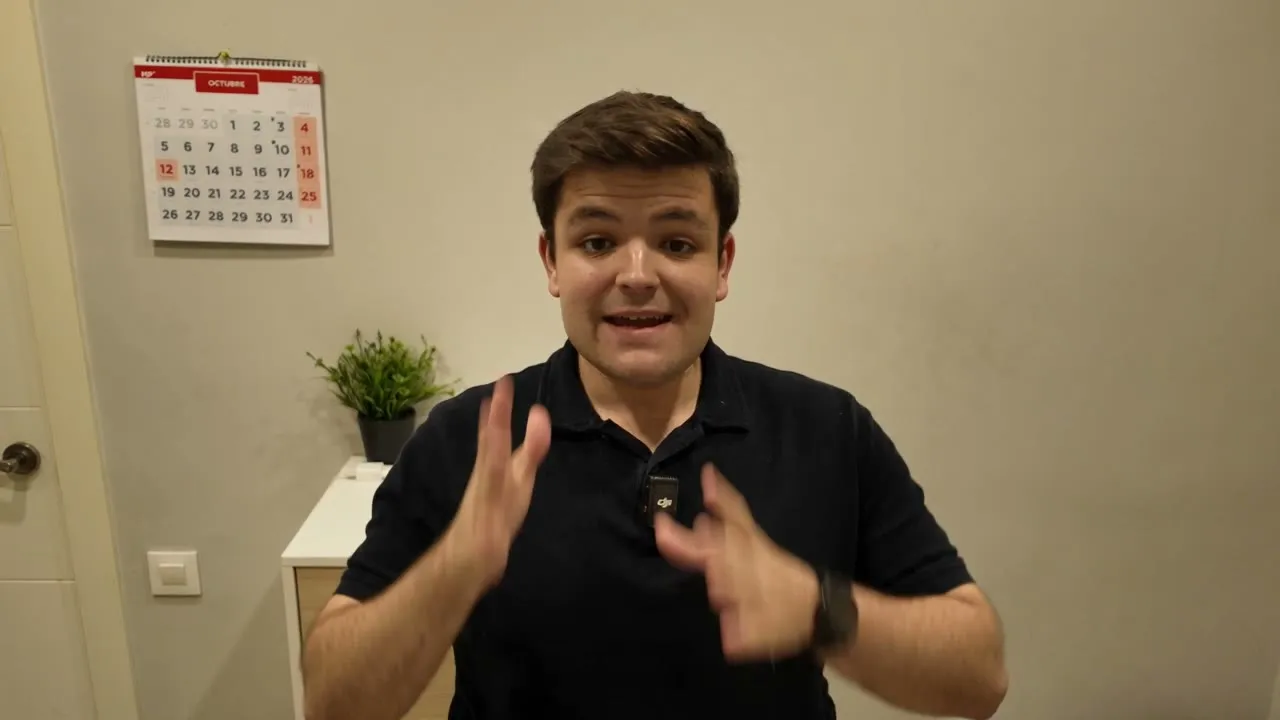 FrontalLa cámara original
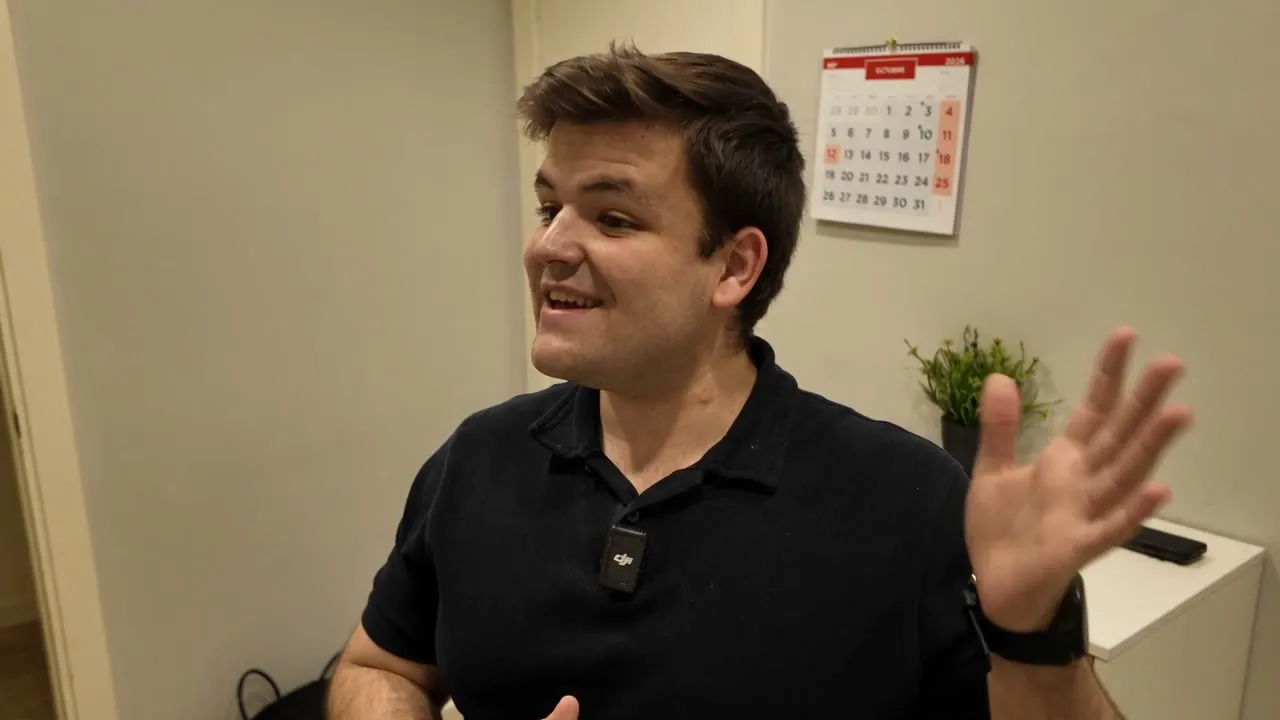 Lateral izquierdo45° · creado con IA
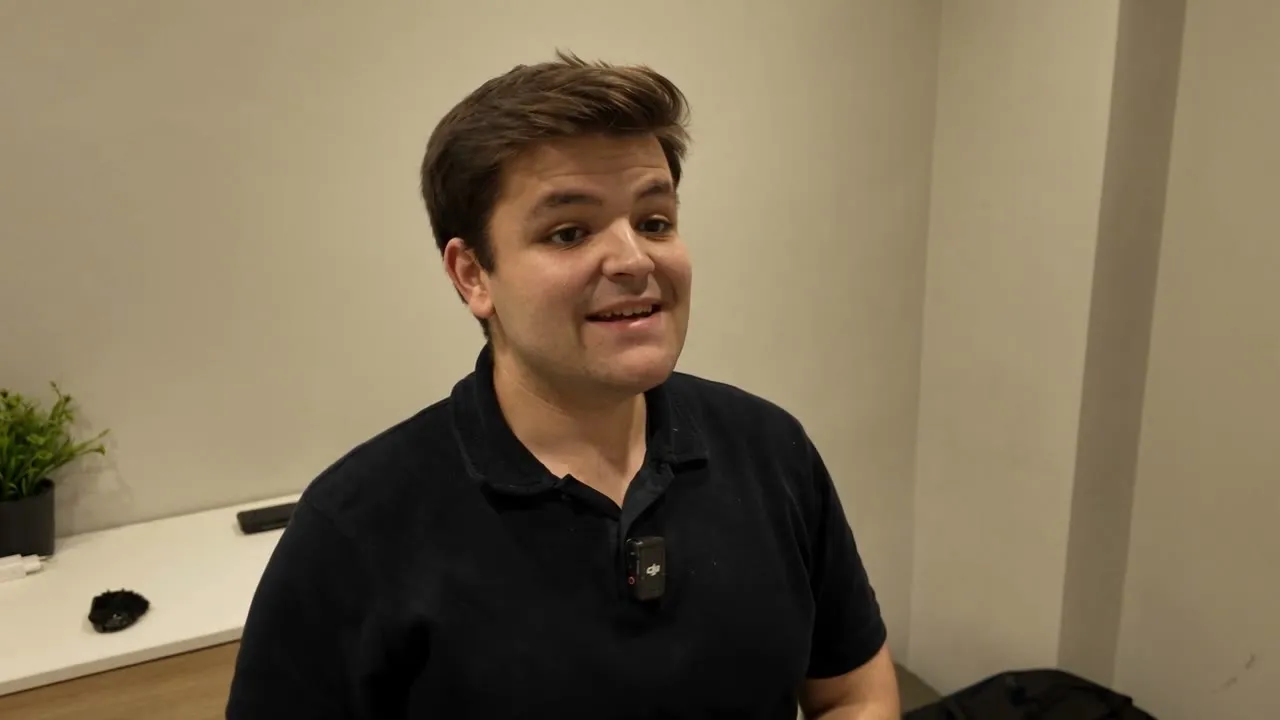 Lateral derecho45° · creado con IA
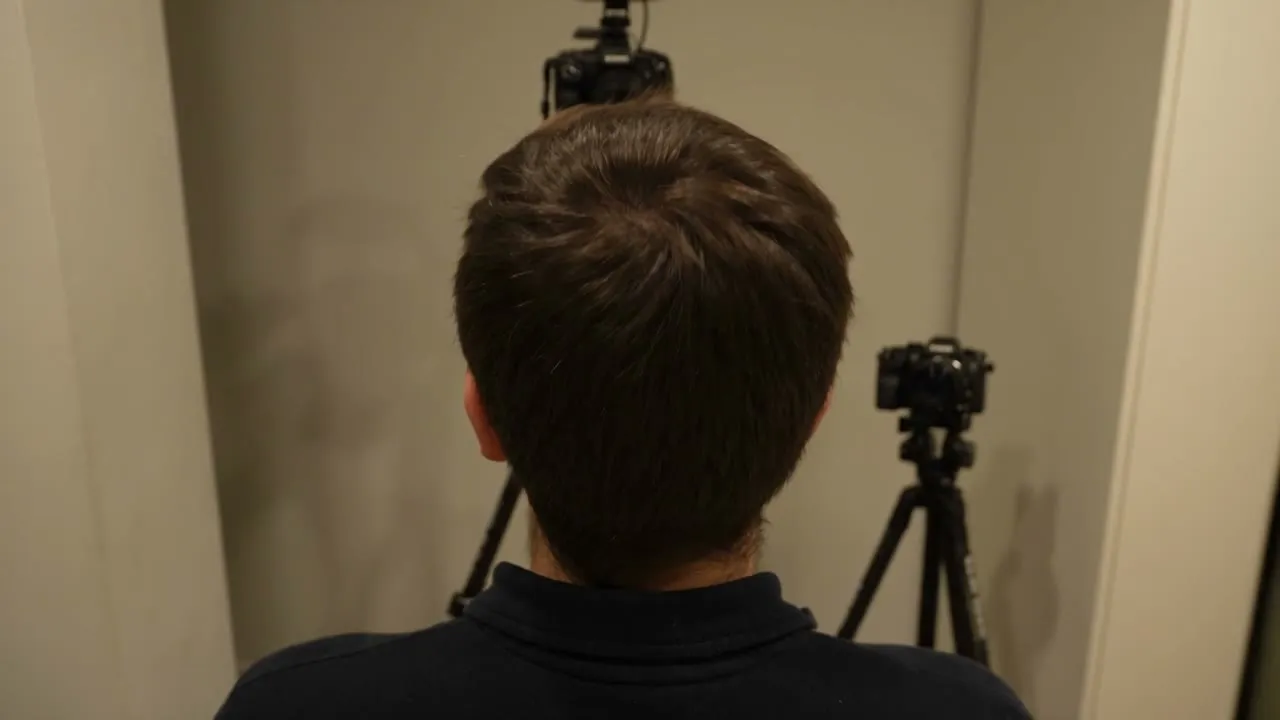 Desde atrásPor encima del hombro · IA
Paso a paso
Cómo hacerlo
Necesitas un vídeo tuyo grabado con la cámara fija y una de estas dos herramientas: Google Flow, gratis, o Seedance 2.5, de pago.
Graba una toma fija
Pon el móvil o la cámara en un trípode y graba un plano fijo hablando a cámara. Cuanto más sencillo, mejor resultado:
- Clips cortos, de 5 a 8 segundos. Si tu vídeo es más largo, córtalo en trozos.
- Buena luz y la cara bien visible.
- Una habitación con objetos reconocibles, como un cuadro, una planta o una estantería: ayudan a la IA a reconstruir la sala desde otros ángulos.
- Graba el audio con un micro: después usarás ese sonido.
Apunta los tiempos y elige los ángulos
Abre el clip en cualquier reproductor que muestre los segundos y apunta dos cosas: cuánto dura y cuándo hablas y cuándo te callas. Después decide en qué segundo cambia cada cámara: un plano cada 1,5 o 3 segundos funciona muy bien.
Ejemplo del reel: clip de 6 segundos, hablo del 0,05 al 5,40. Frontal hasta el segundo 3, lateral izquierdo hasta el 4,6 y lateral derecho hasta el final.
Rellena el prompt
Copia el prompt universal y cambia lo que está entre corchetes: la duración, cuándo hablas, los tiempos de cada cámara, los ángulos (cópialos de la lista) y cómo eres tú y cómo es la sala.
Describir bien tu ropa y la habitación es lo que hace que no cambien entre planos. Deja el resto del prompt en inglés tal cual: funciona mejor.
Genera el vídeo
Google Flow Gratis
- Abre un proyecto nuevo.
- Adjunta tu vídeo y úsalo como referencia.
- Pega el prompt y genera.
Seedance 2.5 De pago
- Elige el modo de edición de vídeo («editing» o «video edit»), no el de referencia.
- Activa la generación de audio y deja la duración y el formato en automático.
- Sube el clip, que se llamará @Video1, pega el prompt y genera.
Prueba primero en baja calidad (480p). Cuando el resultado te guste, repítelo en 1080p: ahorras créditos.
Revisa y quédate con lo bueno
Mira cada plano: que tu cara sea la tuya, que la sala no cambie y que la boca vaya con la voz. Si un plano sale mal, descártalo o vuelve a generar.
En el reel descartamos el último plano del segundo clip: salía con la cara cortada y una ventana que no existe en la habitación.
Monta el vídeo con tu audio
En tu editor, sea CapCut, DaVinci, Premiere u otro, pon el clip de la IA encima de tu toma original, en el mismo punto. Quita el audio de la IA y deja el tuyo: así la voz es la real y todo queda sincronizado. Si el color salta un poco entre planos, iguálalo con un ajuste suave.
El prompt
Prompt universal para cambiar de cámara
Sirve para Google Flow y para Seedance. Cambia solo lo que está entre corchetes.
Prompt universal · multicámara
THE TAKE
The reference video (@Video1) is one finished take: a single static [SHOT SIZE, e.g. medium shot] on a tripod, [DURATION] s, with its own live audio. Re-film exactly this performance, same duration, from new camera positions, as a multi-camera cut.

LOCKED
The performance, every word, mouth movement, gesture and timing stay exactly as in the reference video. Real-time playback, no slow motion, no retiming. Only the camera position and framing change. Light and colour grade stay the same.

MOUTH MAP
Talking [0.00]–[X.XX] s. Quiet, mouth closed, [X.XX]–[DURATION] s.

EYELINE
The person always looks at the position of the original camera (the A-camera). In the new angles they are NOT looking into the new lens.

COVERAGE
[00:00.00–00:0A.AA] A-camera: the original frontal shot from the reference video, eye level, straight on.
[00:0A.AA–00:0B.BB] Hard cut. [ANGLE 2: paste one from the list of angles].
[00:0B.BB–00:0C.CC] Hard cut. [ANGLE 3: paste one from the list of angles].
Each shot is locked off on a tripod. No camera movement, no zoom, no transitions, only hard cuts.

CONTINUITY
The person's face, hair and body are exactly those of the reference video in every shot: [DESCRIBE HAIR, CLOTHES AND ACCESSORIES]. Same room in every shot: [DESCRIBE WALLS, FURNITURE, OBJECTS AND LIGHT]. The room and every object stay in the same physical positions, seen from each new angle. No other people, no camera, tripod or crew visible. No captions, text or logos.
Lista de ángulos
Copia el que quieras y pégalo en el hueco de [ANGLE 2] o [ANGLE 3]. Puedes añadir más cortes copiando una línea de COVERAGE.
- Lateral izquierdo (45°)
Camera 45 degrees to the left of the A-camera axis, same shot size and height, three-quarter view of the face - Lateral derecho (45°)
Camera 45 degrees to the right of the A-camera axis, same shot size and height, three-quarter view of the face - Desde atrás, por encima del hombro
Camera directly behind the person, slightly above head height, over-the-shoulder view: the back of the head and shoulders in the lower foreground and the room in front of them - Primer plano en contrapicado
Camera at the right side, about 45 degrees from the A-camera axis, medium close-up from the chest up, slightly low angle, shallow depth of field, three-quarter view of the face with the mouth clearly visible - Perfil completo (90°)
Camera 90 degrees to the left of the A-camera axis, full side profile, same height and shot size - Picado desde arriba
High-angle camera above and in front of the person, looking down at about 30 degrees, medium shot - Plano general de la sala
Wide shot from the back corner of the room, showing the whole person and the room around them, eye level - Detalle de las manos
Close-up of the hands and gestures at chest height, the face out of frame
Ver el prompt exacto que usé en el reel
Ejemplo real · clip 1 del reel
THE TAKE
@Video1 is one finished take: a single static medium shot on a tripod, 6.00 s, with its own live audio. Re-film exactly this performance, same duration, from new camera positions, as a multi-camera cut.

LOCKED
The performance, every word, mouth movement, gesture and timing stay exactly as in @Video1. Real-time playback, no slow motion, no retiming. Only the camera position and framing change. Light and colour grade stay the same.

MOUTH MAP
Talking 0.05–5.40 s. Quiet, mouth closed, 5.40–6.00 s.

EYELINE
He always looks at the position of the original camera (the A-camera). In the side angles he is NOT looking into the new lens.

COVERAGE
[00:00.00–00:03.00] A-camera: the original frontal medium shot from @Video1, eye level, straight on.
[00:03.00–00:04.60] Hard cut. Second camera 45 degrees to the left of the A-camera axis, same medium shot size and height, three-quarter view of his face.
[00:04.60–00:06.00] Hard cut. Third camera 45 degrees to the right of the A-camera axis, same medium shot size and height, three-quarter view of his face.
Each shot is locked off on a tripod. No camera movement, no zoom, no transitions, only hard cuts.

CONTINUITY
The man's face, hair and body are exactly those of @Video1 in every shot: short dark brown hair, black short-sleeved polo shirt with a small black clip-on microphone on the chest. Same room in every shot: beige wall, red wall calendar, small green potted plant on a white shelf, soft warm indoor light. The wall, calendar, plant and shelf are the same objects in the same physical positions, seen from each new angle. No other people, no camera or crew visible. No captions, text or logos.
Preguntas frecuentes
Dudas frecuentes.
Lo que más me preguntan sobre los ángulos de cámara con IA.
¿Es gratis?
Con Google Flow puedes hacerlo gratis, dentro de los límites de uso de tu cuenta. Seedance 2.5 es de pago y funciona por créditos.
¿Funciona con cualquier vídeo?
Funciona mejor con un plano fijo en trípode, una sola persona, buena luz y clips cortos, de 5 a 8 segundos. Cuanto más se mueva la cámara o más larga sea la toma, más fácil es que la IA se invente cosas.
¿Mi voz se mantiene?
Para que suene exactamente igual, en el montaje usa el audio de tu toma original y quita el que genera la IA. La imagen va sincronizada con tu voz porque la IA respeta los tiempos del vídeo de referencia.
¿Sale perfecto a la primera?
No siempre. A veces un plano sale con la cara cortada o con objetos que no existen. Genera, revisa y quédate solo con los planos buenos: en el reel descartamos uno.
¿Puedo hacer un vídeo largo así?
Sí, pero por partes: corta tu vídeo en trozos cortos, genera cada uno por separado y únelos después en tu editor.
¿Qué editor uso para montarlo?
El que ya uses: CapCut, DaVinci Resolve, Premiere o Final Cut. Solo tienes que poner el clip de IA en lugar del original y dejar tu audio debajo.
Te toca
Graba una vez, rueda con varias cámaras
Un plano fijo, un buen prompt y unos minutos de montaje. Si lo pruebas, etiquétame: me encantará verlo.